
Measure | Estimate | Price | Win more jobs
Draw the roof.
Lay the roofing.
Price the job.
Trace the roof, let the engine build every facet, lay shingles, metal, tile or any common roofing on it, and price it with your own catalog and labor.
Stop paying per report! The more roofs you estimate, the less each one costs.
Stop paying per report!
With other services, the more reports you run, the more you pay. With RooferJoe, the more reports you run, the less each one costs. Every job you estimate saves you money.
Starter · 100 reports
$0.99per report
Pro · 250 reports
$0.80per report
Business · 500 reports
$0.60per report
That is the cost at your plan's full count. Run every report you are entitled to and the per-report price lands where the table says. Unlike pay-per-report services, no job ever costs you more because you estimated more.
What it does
Builds the roof for you
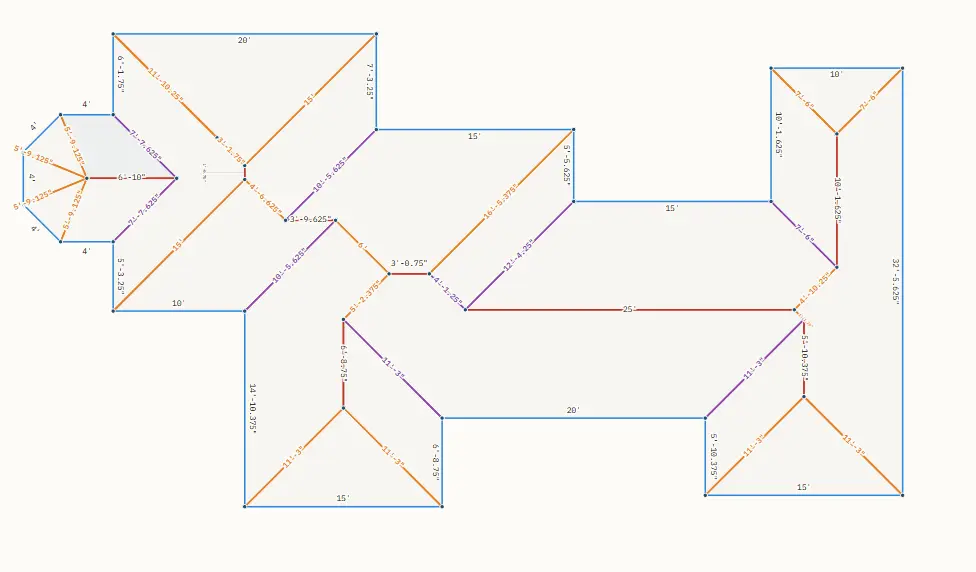
Draw the outline, mark the eaves and rakes, set the pitch. Four geometry engines find the hips, ridges, and valleys. Dormers, pop-tops, and gable fronts are real facets, not sketches.
Lays any common roofing
Shingles, stone coated, metal, tile, shake, slate, TPO/PVC, EPDM and peel-and-stick, from your own catalog. It lays every course or panel across each facet and counts the real pieces, so waste is measured, not guessed. Metal jobs get the runout cut list for the shop.
Prices it your way
Your lines, your fastener parts, your underlayment, your labor. Material markup, labor markup, warranty, commission, tax on cost, pass-through fees for dump, permit, and delivery.
Prints what the customer signs
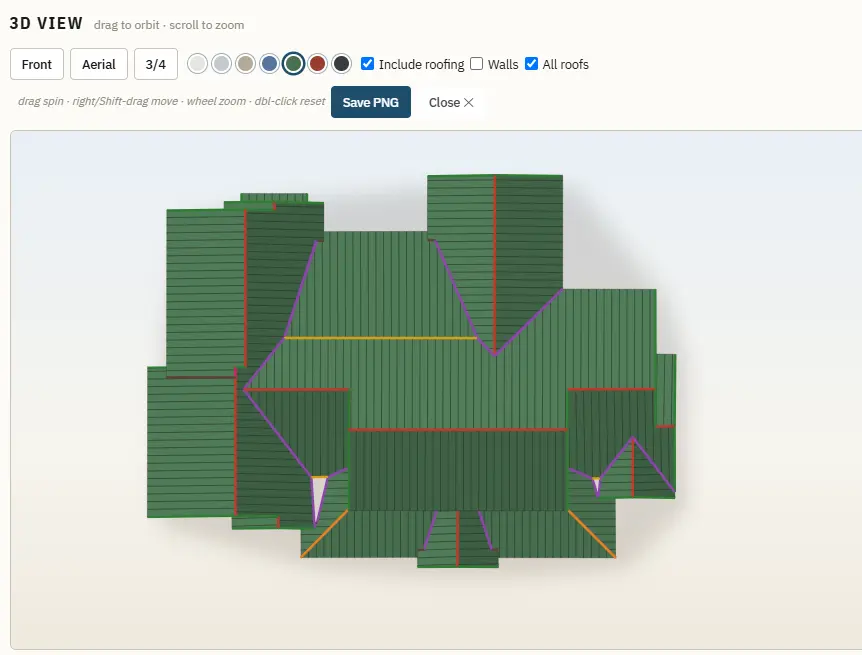
Roof plan with a 3D cover, summary, roofing layout, customer proposal, install ticket. Straight from the browser to paper or PDF.
Keeps your settings with the job
Every report carries a snapshot of the settings it was priced with. Open an old estimate next month and it reprices to the penny.
Works from any computer
Sign in from the office, the truck, or home. Nothing to install. Your catalog, prices, and logo live on your account, and finished reports are kept for 60 days.
See it work
Real screens from the program, in the order a job moves through it.
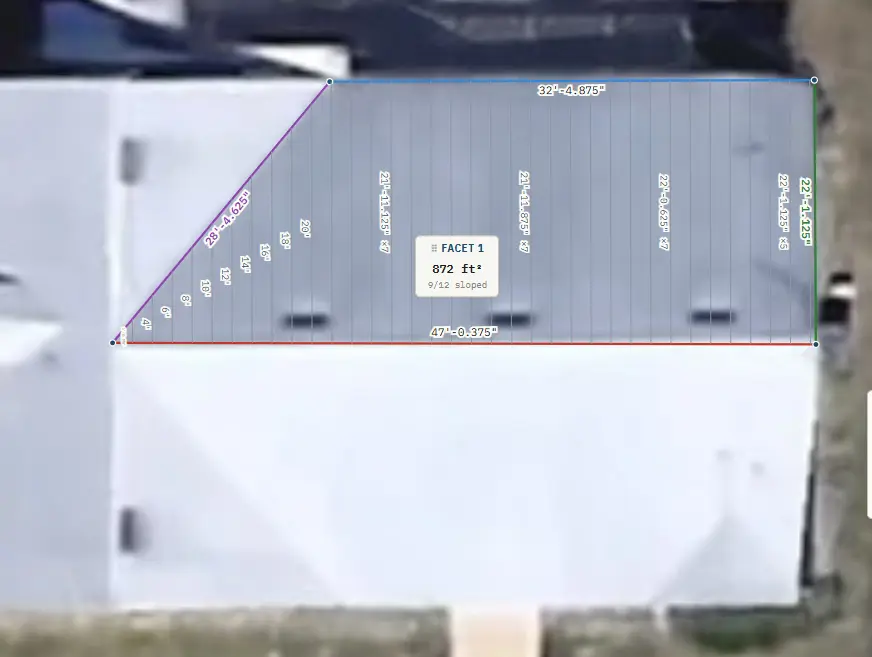
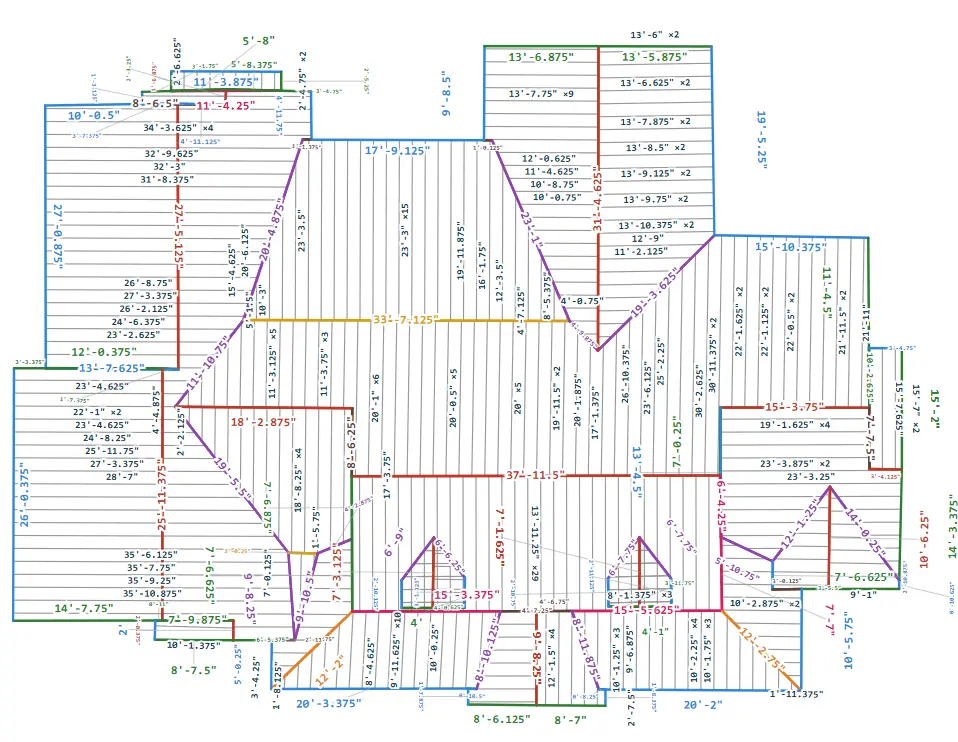
Trace the roof off the aerial photo
Drop in a satellite view or a plan, set the scale from one known length, and trace the outline. Mark which edges are eaves and rakes, set the pitch, and the engines find every hip, ridge, and valley. Every facet shows its own square footage.
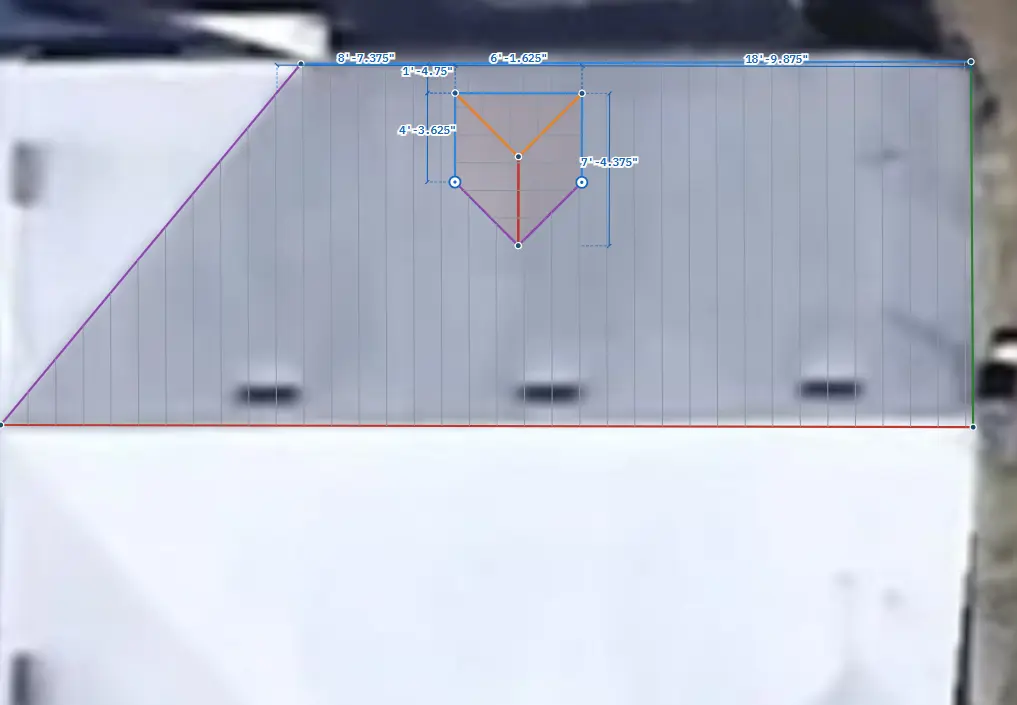
Dormers and pop-tops are real facets
Pick gable, hip, or shed, set the pitch and the band wall, and draw it where it sits. The dormer cuts into the roof below, takes its own panels, and adds its own flashing to the takeoff.
Lay the roofing, count the real pieces
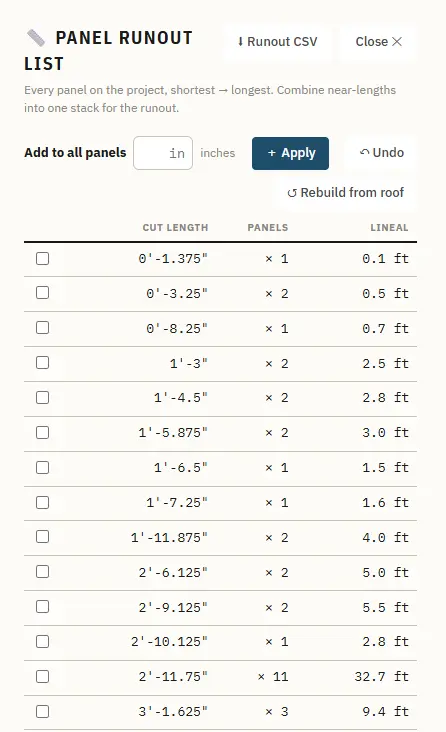
Choose shingles, metal, tile or any other type from your catalog and it lays every course or panel across every facet, respecting stagger and minimum length. Squares to buy come from the actual cuts. On a metal job the runout list stacks the panels shortest to longest with counts and lineal feet, ready for the shop.
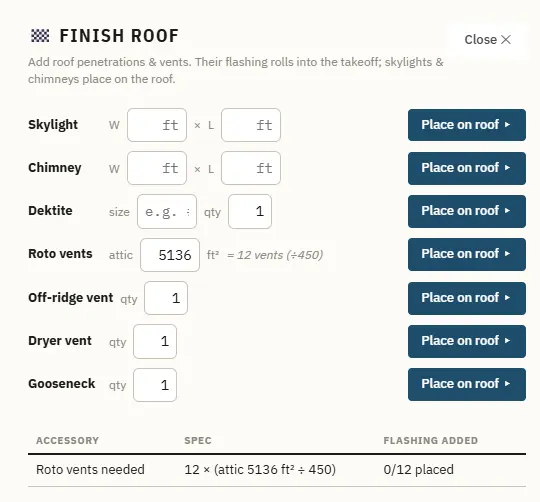
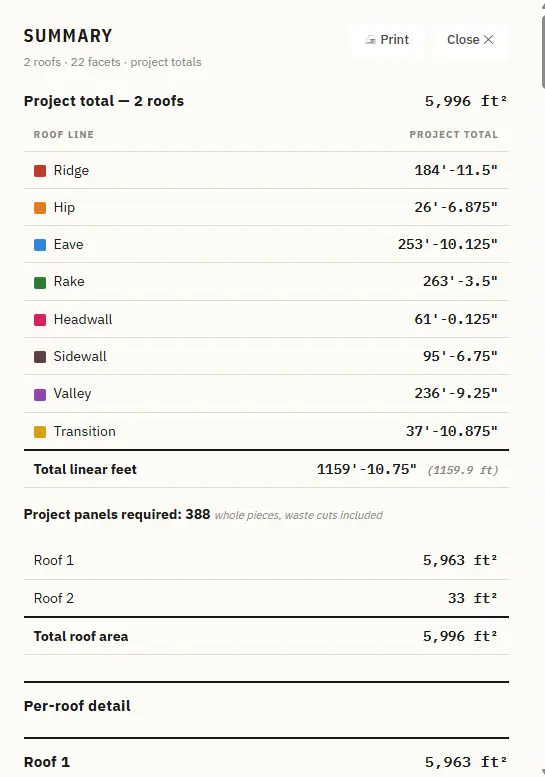
Vents, skylights, chimneys, and the totals
Place skylights and chimneys by size, pipe boots by diameter, roto and off-ridge vents by count. It even tells you how many attic vents the square footage calls for. The summary rolls up ridge, hip, valley, eave, rake, and transition feet for the whole project.
Your materials, your labor, your markup
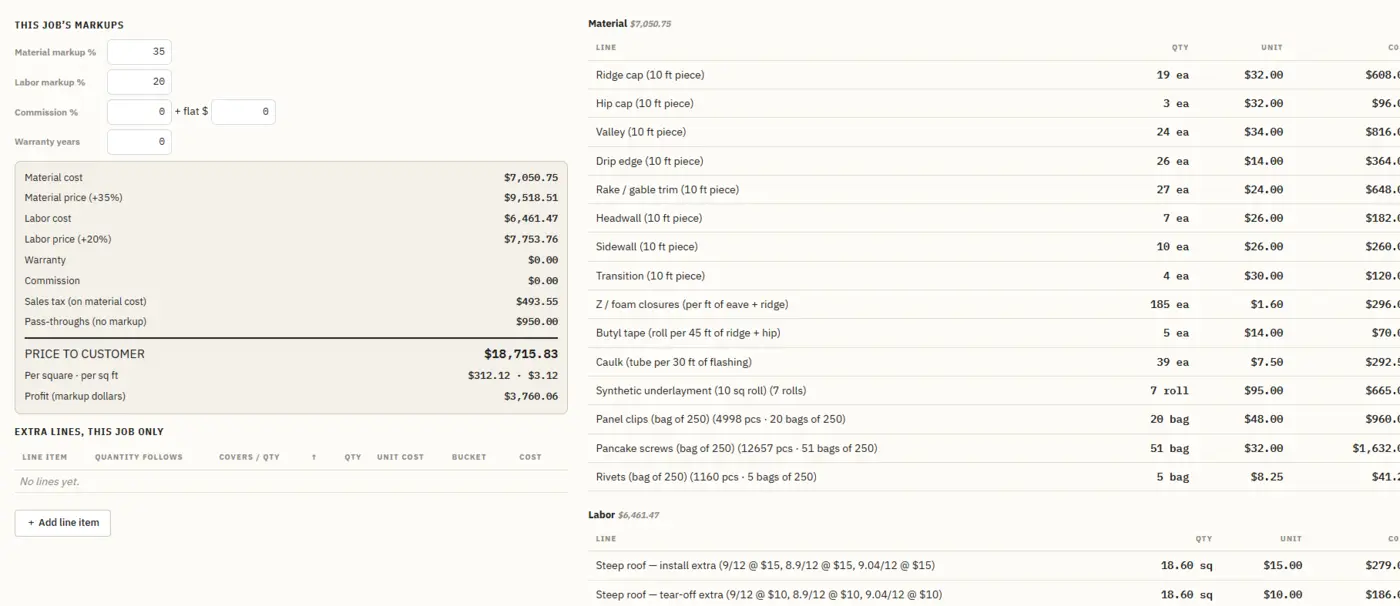
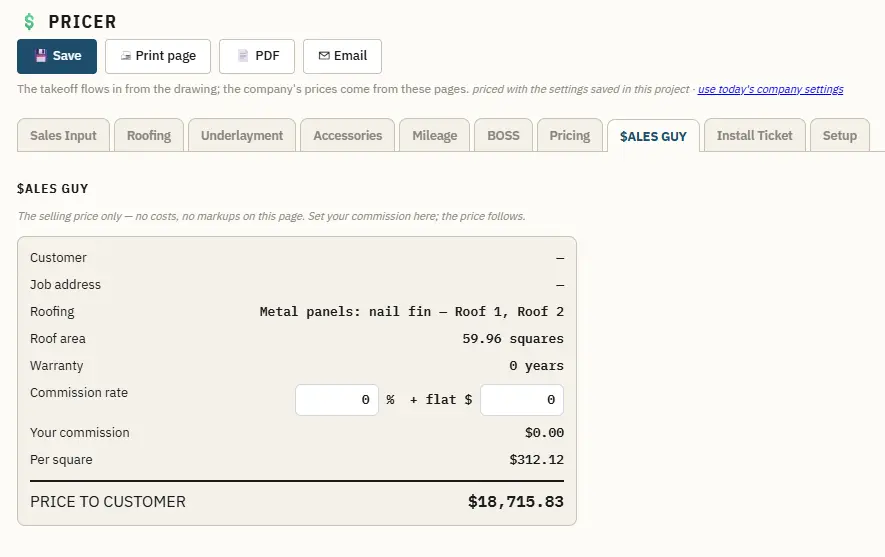
The takeoff flows into the pricer. Every line item, fastener bag, roll of underlayment, and steep-pitch extra comes from your own catalog and prices. Set material markup, labor markup, warranty, and commission once. The sales page shows one clean number: price to customer.
Print the install ticket
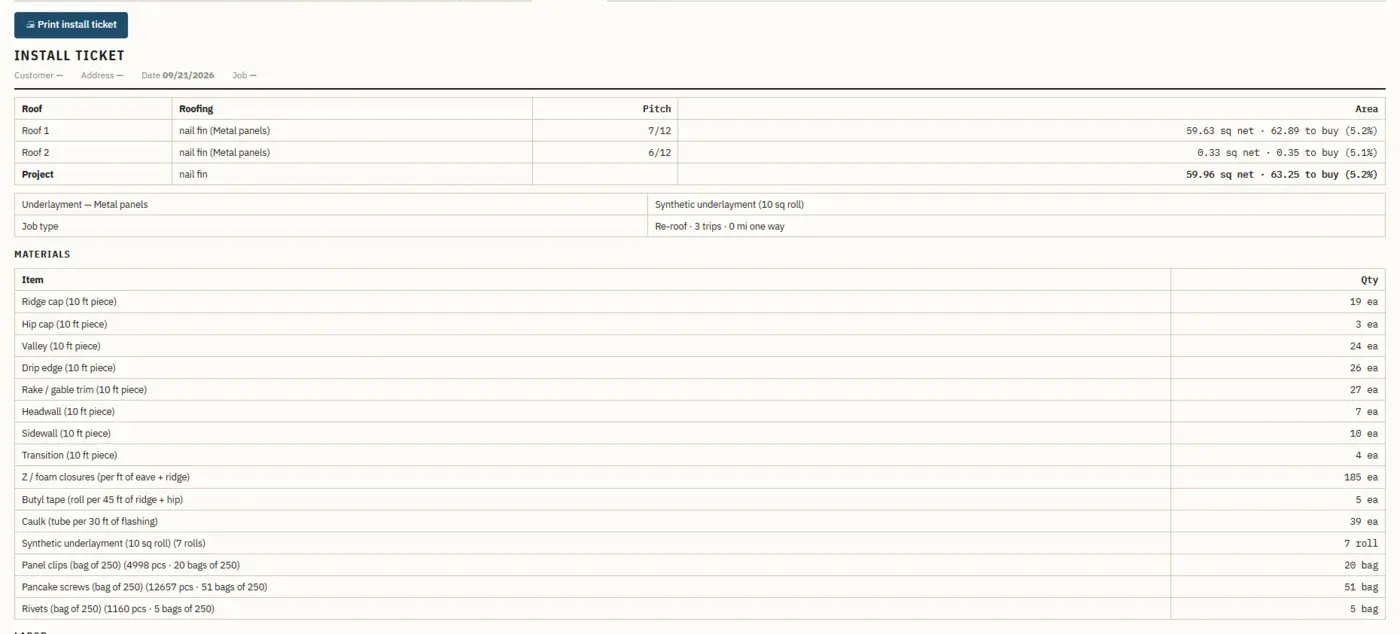
One page for the crew: roofs, pitches, net and to-buy squares, underlayment, job type, and the full material list with quantities. Print it, save it as PDF, or email it. The customer proposal and the plan with a 3D cover print the same way.
Plans
Priced per company, billed monthly. Every plan starts with a 7-day free trial and your first report free. Cancel any time.
Own it
Self-hosted
Ask one-time price
Your own standalone copy, hosted on your server. No monthly fee, no report limits.
Contact usA report is one priced roof: the drawing, the takeoff, the material list, the proposal, and the install ticket. Revisions are free. Unused reports do not roll over. Reports stay on your account for 60 days. Full pricing details.
Guides and calculators
How each kind of roof is estimated, the math behind the slope, and two quick calculators.
Questions roofers ask
The short list. The full FAQ covers drawing, tracing, dormers, cut lists, fasteners and billing.
Is it only for metal roofs?
No. It lays shingles, stone coated, metal panels, tile, shake, slate, TPO/PVC, EPDM and peel-and-stick, each at the real sizes you sell. Metal jobs also get the panel runout cut list and a CSV for the machine.
Do I need to install anything?
No. It runs in Chrome, Edge, Firefox or Safari. Sign in and draw. There is nothing to download and nothing to update.
Does it replace an aerial measurement report?
For most jobs, yes. You trace the roof off a satellite view, a blueprint scan or a PDF plan, set the scale from one known length, and the program measures every line and facet. If you already have an EagleView report, you can import its file and the roof is built from it.
How does it figure waste?
It does not guess a waste percentage. It lays every course or panel across every facet at the real sizes you sell, respecting stagger and minimum length, and counts the actual pieces. Squares to buy come from the real cuts.
Is it per seat?
Per company. Your whole office works under one account and one monthly report count.
What counts as a report?
One priced roof. Draw it, lay it, price it, print it. Reopen and revise it as often as you like at no charge.
Where are my reports?
On your account, from any computer, for 60 days. Save the PDF and the job file to keep them longer.
Can I cancel?
Any time, from your billing page, through Stripe. You keep access to the end of the month you paid for.
Can you help me set it up?
Yes. ExitSaaS Automation loads your catalog, prices, logo and fees for you. That setup is quoted and billed separately.